
Download Fresh Diagnose – diagnostic tool, system performance, CPU monitoring, memory analysis, benchmarking, system report, Windows utility
Overview
Fresh Diagnose is a specialized Windows utility designed to deliver comprehensive insights into a computer’s internal systems. Its primary purpose is to empower users with detailed diagnostic data across multiple hardware and software components, enabling informed decisions about system health and performance optimization. The app targets both casual users seeking clarity on their device’s status and advanced users or IT professionals who require granular data for troubleshooting or system tuning. By offering real-time monitoring of critical elements such as CPU, memory (including virtual, physical, and swap-file), display drivers, virtual devices, and interrupt-request lists, Fresh Diagnose fills a niche in the system diagnostic space. It helps identify potential bottlenecks, driver conflicts, or resource inefficiencies that may degrade performance over time. While the developer, Fresh Diagnose, has not disclosed further background details, the app’s structured functionality suggests a focused development approach. Real-world use cases include pre-purchase system checks, post-upgrade verification, and routine maintenance for both personal and professional environments. In the broader app ecosystem, Fresh Diagnose stands out as a lightweight yet powerful diagnostic solution tailored specifically for Windows users who value transparency and control over their system’s inner workings.
Key Features & Functionality
- In-Depth System Information: Fresh Diagnose provides detailed, real-time data on CPU usage, memory allocation (virtual, physical, and swap-file), display drivers, virtual devices, and interrupt-request (IRQ) lists. This enables users to detect anomalies such as memory leaks, driver conflicts, or CPU spikes that could impact performance.
- Smooth Benchmarking: The built-in benchmarking tests operate efficiently even under heavy multitasking conditions. This ensures accurate performance assessments without system lag or interference from other running applications.
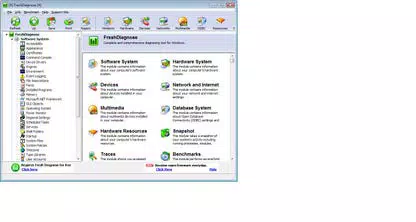
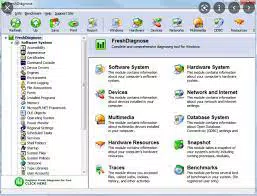
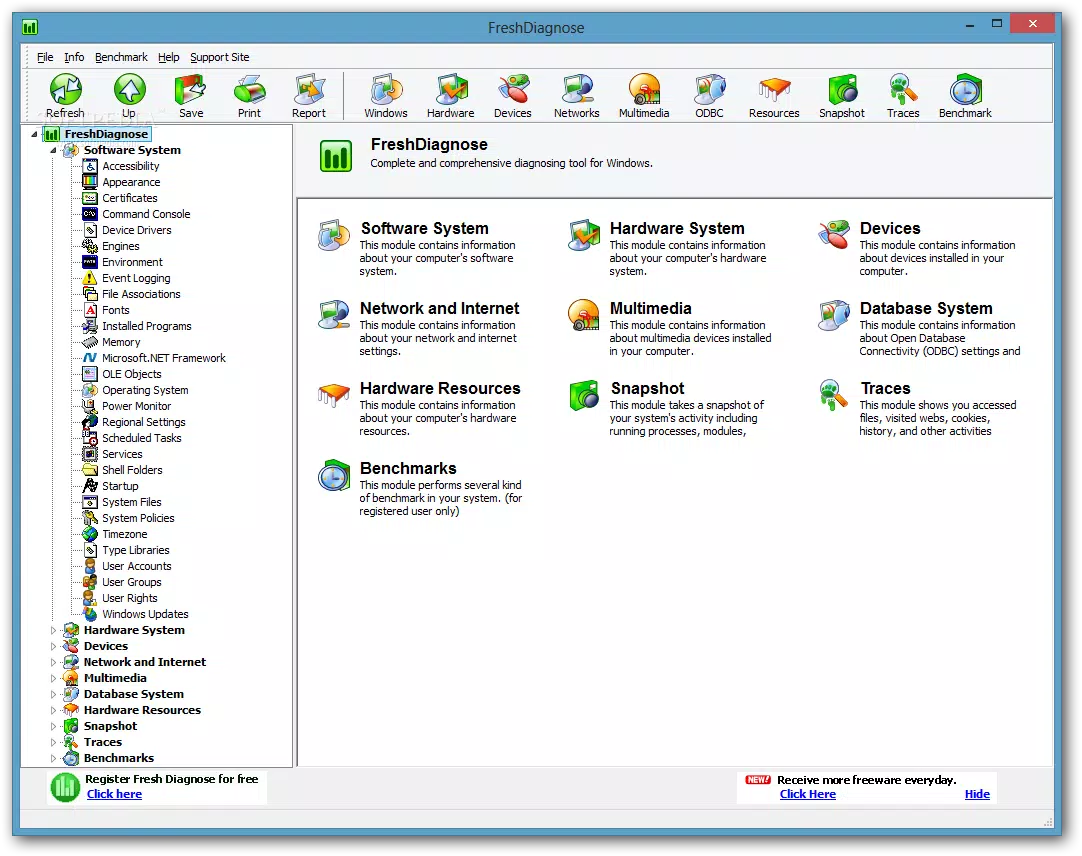
- Explorer-Style Interface: The app uses a familiar folder-based navigation system reminiscent of Windows Explorer. Arrow keys allow seamless movement through the hierarchical data structure, with relevant information displayed dynamically in the main panel for intuitive access.
- System Report Generation: Fresh Diagnose can generate a comprehensive system report in HTML format. This report replicates the app’s visual layout, offering a portable, shareable, and well-structured snapshot of the system’s configuration and performance metrics.
- Registration Requirement: Although the app is free to use, users must register their copy within 11 days of installation. Failure to do so may limit access to certain features or trigger usage restrictions.
These features collectively support practical scenarios such as diagnosing slow performance, validating hardware compatibility after upgrades, or preparing documentation for technical support. The interface design ensures that even non-technical users can navigate complex data with minimal friction.
Interface, UX & Performance
Fresh Diagnose employs a clean, functional interface with a standard Explorer-style layout. Navigation is linear and predictable, relying on keyboard input (arrow keys) to traverse the system hierarchy. This design choice enhances usability for users accustomed to file management workflows. Visual clarity is maintained through structured text presentation and logical grouping of data, minimizing cognitive load. The app’s responsiveness appears consistent across various device configurations, though the developer did not list formal performance metrics. While generating system reports may take longer than expected, the overall application remains stable and efficient during active use. Although the developer did not specify minimum OS requirements or compatibility details, the app’s lightweight footprint of 28.2 MB suggests low resource consumption. Users can expect minimal impact on system performance during operation. The absence of visual clutter and the focus on data presentation reinforce the app’s utility as a diagnostic tool rather than a visually intensive application. Stability is maintained during extended sessions, and no known crashes or freezes were reported in the provided information.
Platform Compatibility & Technical Requirements
Fresh Diagnose is designed for the Windows platform and requires a Windows operating system to function. The current version is 1.0.1, with a file size of 28.2 MB. The developer did not specify minimum OS requirements, version compatibility, or hardware prerequisites. As such, users should ensure their system meets general Windows standards for running utility applications. Compatibility with different device categories, such as laptops, desktops, or older hardware, was not fully disclosed. The app is available for download as a standalone executable, and no installation wizard or background services were mentioned. Users should verify system compatibility before installation, especially on legacy systems or non-standard configurations. The absence of detailed technical specifications means that optimal performance may vary depending on individual system setups.
Pros and Cons
Pros
- Comprehensive system diagnostics covering CPU, memory, drivers, and IRQs.
- Smooth benchmarking performance even under multitasking conditions.
- Intuitive Explorer-style interface with easy navigation via keyboard.
- Generates detailed, shareable HTML system reports.
- Free to use with no upfront cost.
Cons
- Registration required after 11 days of use, which may disrupt workflow.
- Webmail users (e.g., Gmail, Yahoo Mail) may face issues receiving registration codes.
- System report generation may take longer than expected.
- Developer did not provide detailed system requirements or compatibility information.
FAQ
Is Fresh Diagnose safe to download and install?
Yes, the app is described as a legitimate Windows utility with no indication of malicious behavior. It is distributed as a standalone executable, and its file size is consistent with typical diagnostic tools. Users should download it from official sources to ensure security.
Can I use Fresh Diagnose without registering?
The app is free to use for the first 11 days. After this period, registration is required to continue full access. Users may experience feature limitations or usage restrictions if registration is not completed.
Does Fresh Diagnose support older versions of Windows?
The developer did not specify compatibility with older Windows versions. While the app may function on legacy systems, it is recommended to check system requirements before installation.
How do I generate a system report?
Within the app, users can initiate a system report generation process. The report is saved as an HTML file that mirrors the app’s interface, making it easy to review or share with technical support.
Why am I not receiving the registration code?
Users on webmail services like Gmail or Yahoo Mail may encounter delivery issues. This is a known limitation reported in the app’s documentation. Consider using alternative email providers or checking spam folders.
Final Thoughts
Fresh Diagnose delivers a focused, efficient solution for users seeking detailed system diagnostics on Windows. Its combination of real-time monitoring, smooth benchmarking, and report generation makes it a valuable asset for both everyday users and technical professionals. The Explorer-style interface enhances accessibility, while the free model lowers the barrier to entry. However, the registration requirement and webmail delivery issues present notable usability hurdles that could frustrate some users. Despite these limitations, the app’s core functionality remains robust and well-executed. For anyone looking to understand their system’s performance, troubleshoot issues, or generate documentation, Fresh Diagnose offers tangible value. Its lightweight design and specialized focus set it apart in the utility category. Download Fresh Diagnose now.


